Run the course from a 3D model of the ground itself.
Issues pinned where they are, drainage and slope mapped from drone elevation data, and measuring tools your crew can use in a browser.
Pin the problem where it is
Staff mark an issue on the 3D hole at the spot it happens. The pin stays on the course, so the next person sees where, and not only what.
Each issue carries a category, a priority, an assignee, and a due date, with photos and comments on the issue itself. Every issue on every hole lands on one board, with views for what is open and what is overdue, and filters for priority, category, assignee, and hole.
Export the board to CSV, or print a punch list for a hole. New issues are pinned in a desktop browser. More on course issue tracking.
Walk the water before the storm does
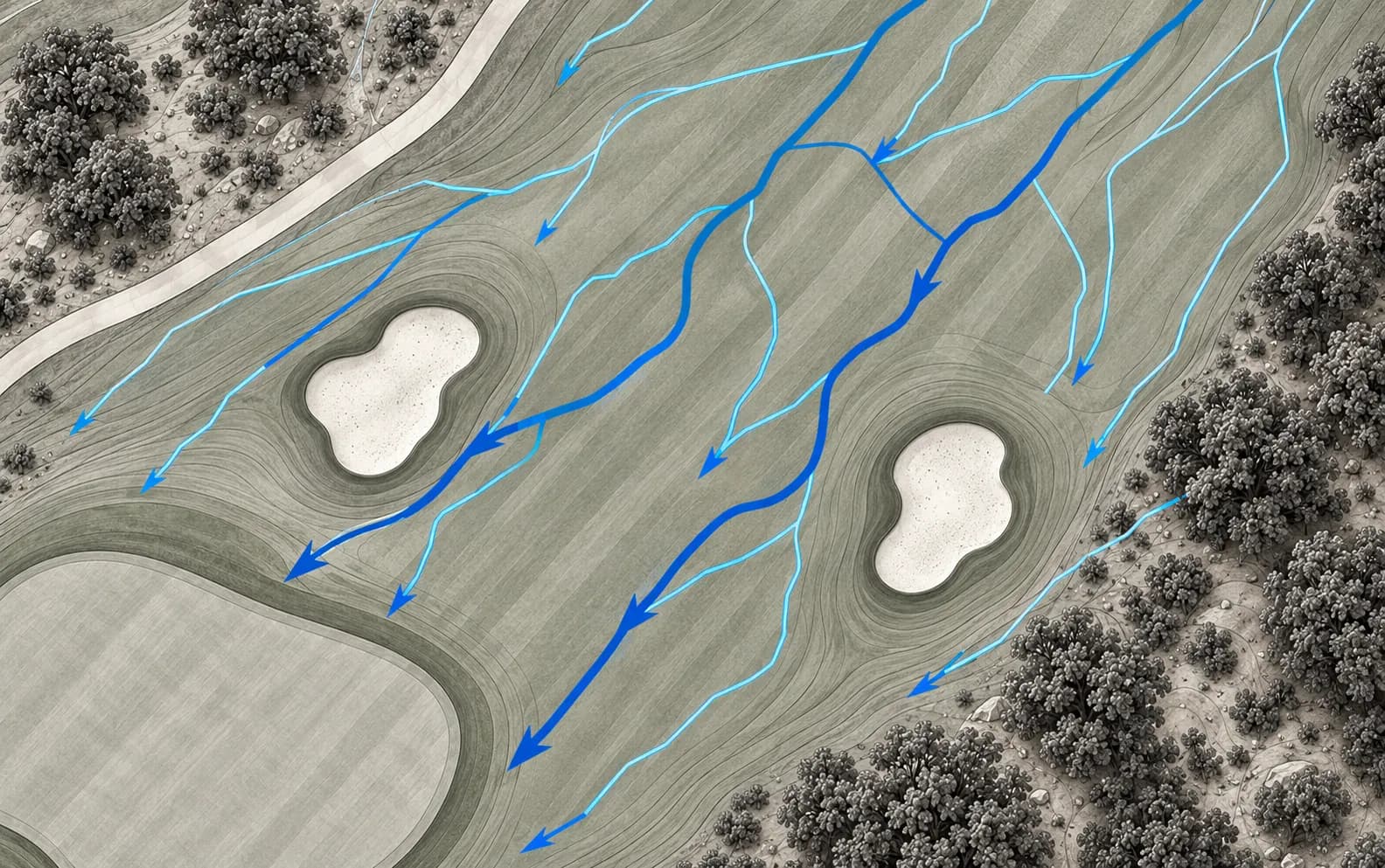
Flow paths are traced from the elevation data of your own course and graded from minor runs through collectors to main channels. You can see what feeds a wet spot before deciding where a drain or a regrade belongs.
A wet-areas layer on the aerial map marks where water is likely to collect.
The layers model surface flow from the shape of the land. They know nothing about pipes, catch basins, or soil, and under tree canopy they record the trees and not the ground. More on slope and drainage mapping, and a guide to finding drainage problems.
Put numbers behind the mow lines
Each hole is shaded in four slope classes: under 2%, 2 to 5%, 5 to 10%, and over 10%. Contours are drawn at a 0.5 m interval, and elevation bands shade the hole from its lowest ground to its highest.
You can see which banks are over 10%, where a fairway is flatter than 2% and slow to shed water, and how grade lines up with wear and mowing trouble. Argue from the model, not from memory.
Measure it
On the 3D hole, in a desktop browser: the distance between two points, the grade between them in percent and degrees, and the elevation profile along any line you draw.
For staff, there is cut and fill. Outline a stockpile or a grading area for cut, fill, and net volume, with an approximate tonnage. More on renovation planning.
The flight
A mapping drone captures the course hole by hole, early in the day and around your tee sheet. The flying is usually a morning or two, scheduled with you.
The drone stays high and quiet, and if a hole needs to be clear for a few minutes we arrange it ahead of time. Processing takes days, not weeks. How we capture a course covers the method and its limits.
What it will not do
The twin is working detail for maintenance and planning. It is indicative, not survey-grade, so engineered drainage or grading design should be checked against a licensed survey.
It tracks what is wrong on the course and where. It is not a labor, equipment, or inventory system, and it works alongside whichever one you use.
Questions from superintendents.
Usually a morning or two for the course, planned around your tee sheet and scheduled with you. Processing then takes days, not weeks.
Rarely. The drone flies early in the day, stays high and quiet, and works hole by hole. If a hole needs to be clear for a few minutes, we arrange it with you ahead of time.
Anyone your course admins invite. Members of the team log, edit, and close issues and use the staff layers and tools. Admins also manage who is on the team.
Yes. The board exports to CSV, and a punch list can be printed for a hole.
It shows the ground as it was on the day of the flight. After earthwork or a rebuild, the affected holes can be flown again.
Golf course drainage and slope mapping
Drone mapping for golf course superintendents: slope classes, 0.5 m contours, water flow paths and wet areas, drawn from elevation data of your own course.
ReadPlatformGolf course maintenance issue tracking on a 3D map
Issue tracking for golf course superintendents: pin a problem on the 3D course with a photo, priority, assignee and due date, then work it from one board.
ReadGuideHow to find golf course drainage problems
A method for finding golf course drainage problems with elevation data: trace the flow paths, find where water stops, and read what the wet spots tell you.
ReadBook a demo.
30 minutes, on a live twin, with your team. We'll show the staff tools, the golfer experience and the website embed, then map out what your course would involve.
- A live twin in the browser, not a slide deck
- Issues, terrain layers, and measuring tools on a real course
- The golfer experience and the website embed